This guide explains how to invite the other party — your lender or your borrower — to your loan in Family Loan Tracker, what they will see once they join, and what to do if the invitation never arrives.
A family loan is a two-person arrangement, but most people set it up alone. The tracker is built around the idea that both parties should see the same numbers and the same payment history. Inviting the other side takes about thirty seconds and removes the most common source of disagreement: "what did we actually agree to?"
Step 1: Open the loan you want to share
From your dashboard, select the loan you want to share. You need to be the loan owner — the person who first created the loan — to invite a participant.
If the loan was set up using the loan creation form, the role you chose (lender or borrower) is already attached to your account. The person you invite will join as the opposite role automatically.
Step 2: Find the Participants section
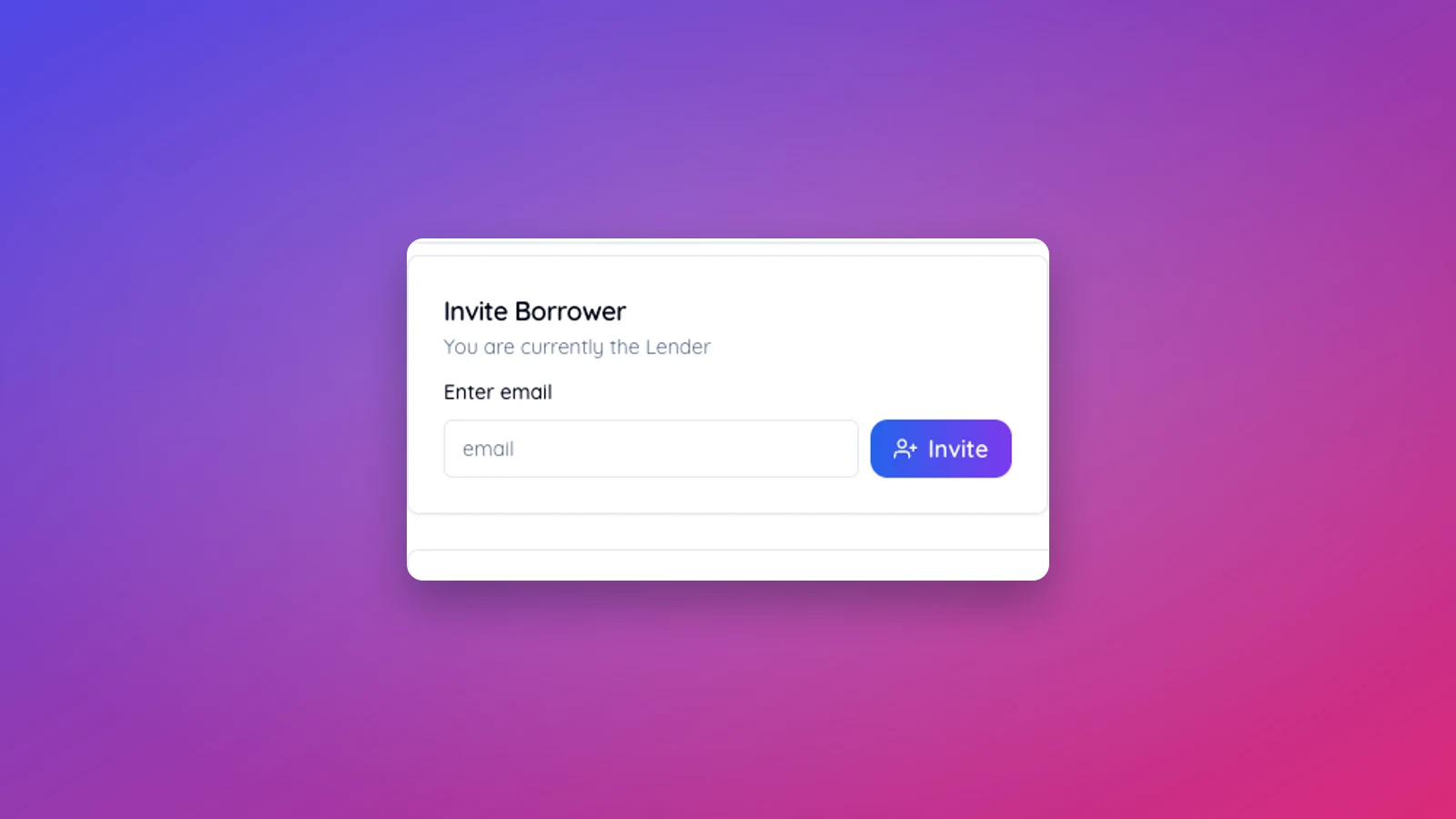
On the loan detail page, scroll to the Participants section. You will see your own name and role listed there. Below that is the Invite option.
If you are the lender, the invite button reads "Invite borrower." If you are the borrower, it reads "Invite lender." The tracker assigns the role based on yours — you cannot invite someone with the same role you have.
Step 3: Enter the other party's email address
Enter the email address of the person you want to invite and confirm. Use the email they check regularly. The invitation is tied to that exact address, so if they sign up later with a different one, they will need a fresh invite.
Before sending, double-check the spelling. A typo in a parent's or sibling's email address is the single most common reason an invite never arrives.
Step 4: Send the invitation
Select Send. Family Loan Tracker emails the other party with a link to view the loan. The email comes from a Family Loan Tracker address and includes your name as the sender, so it does not look anonymous.
The link in the email takes them to a sign-up or sign-in page. If they already have an account on the same email, they sign in and the loan appears in their dashboard immediately. If they do not, they create a free account in about a minute and then land directly on the shared loan.
Step 5: Confirm the invite was accepted
When the other party accepts, their name appears in the Participants section next to yours, with their role label (lender or borrower). The status next to their name changes from "Invited" to "Active."
If it still says "Invited" after a day, see the troubleshooting section below.
What the other party can see and do
Once the invite is accepted, both parties see the same loan in their dashboards. They share access to:
- The loan terms (amount, rate, duration, payment schedule)
- The full payment history, including any extra payments
- The amortization chart and progress card
- All loan stats (interest paid, principal paid, overdue amount)
The loan owner — the person who originally created the loan — keeps a small set of owner-only permissions: deleting the loan, removing the participant, and changing structural loan settings. Day-to-day actions like recording payments and adding notes are available to both parties. This split keeps the loan auditable while letting either side keep the record current.
What if the invitation never arrives
If a day passes and the status still says "Invited," ask the other party to:
- Check spam and promotions folders for an email from Family Loan Tracker.
- Add the Family Loan Tracker domain to their safe sender list and ask you to resend.
- Confirm the email address you typed matches the one they use.
If the address was wrong, remove the pending invite from the Participants section and send a new one to the correct address. Pending invites can be revoked any time before they are accepted.
When to invite the other party
The best time is right after you create the loan. Doing it early sets the tone that this is a shared record, not a private spreadsheet one of you keeps. It also means the borrower starts seeing payment reminders automatically and the lender sees confirmations as they happen.
If you have not yet had the conversation about formalizing the loan, our guide on how to ask family for a loan covers how to bring up shared tracking without it feeling like distrust.