This guide explains how to mark a payment as paid in Family Loan Tracker, catch up on several missed payments at once, and what happens behind the scenes when you do.
A loan's dashboard is only as accurate as the payments logged against it. If a payment happened in real life — cash handed over, a bank transfer sent — but hasn't been recorded in the tracker, the dashboard will still show it as due or overdue. Recording payments promptly is what keeps the numbers honest for both sides.
Step 1: Open the loan's payment schedule
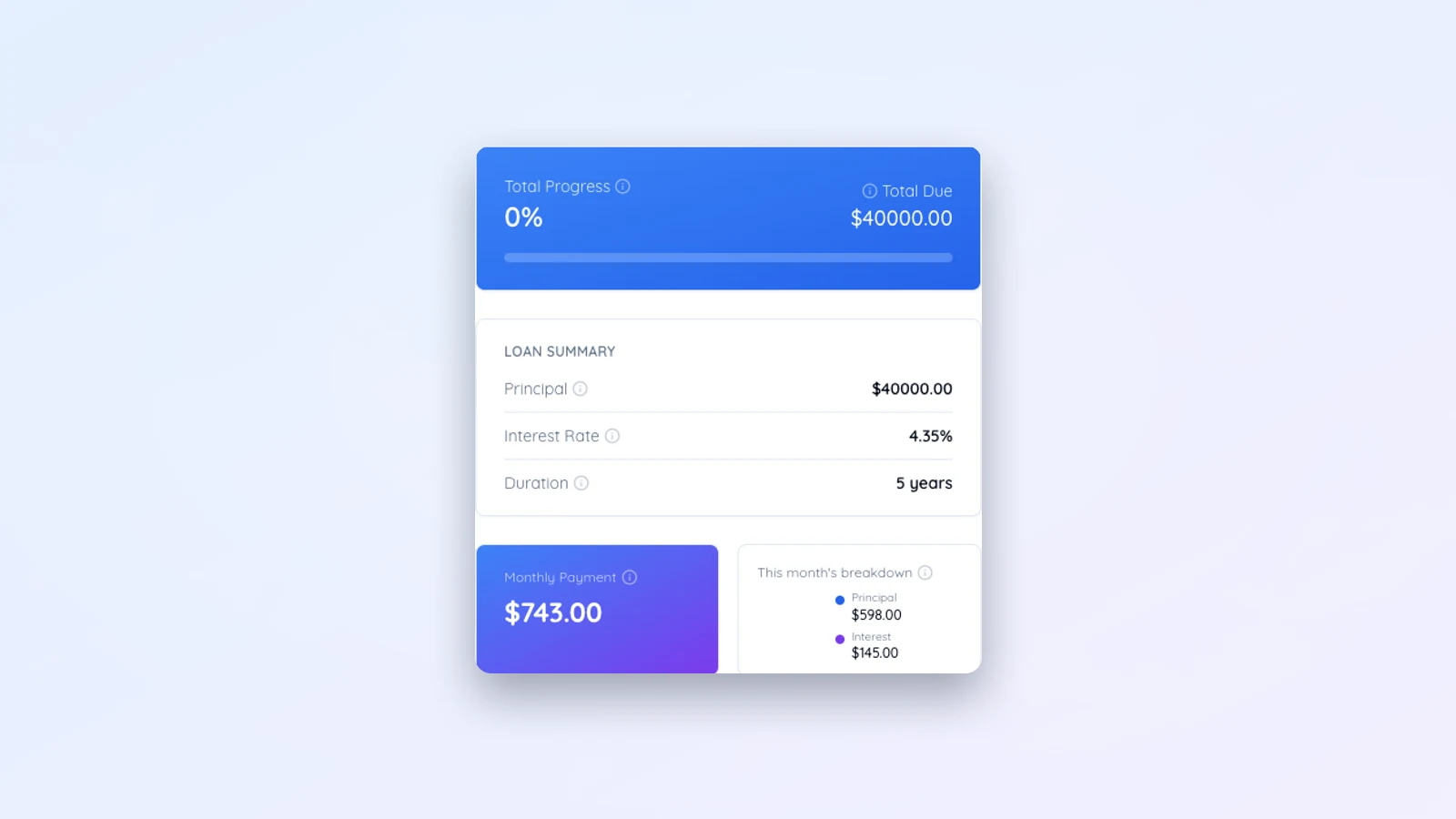
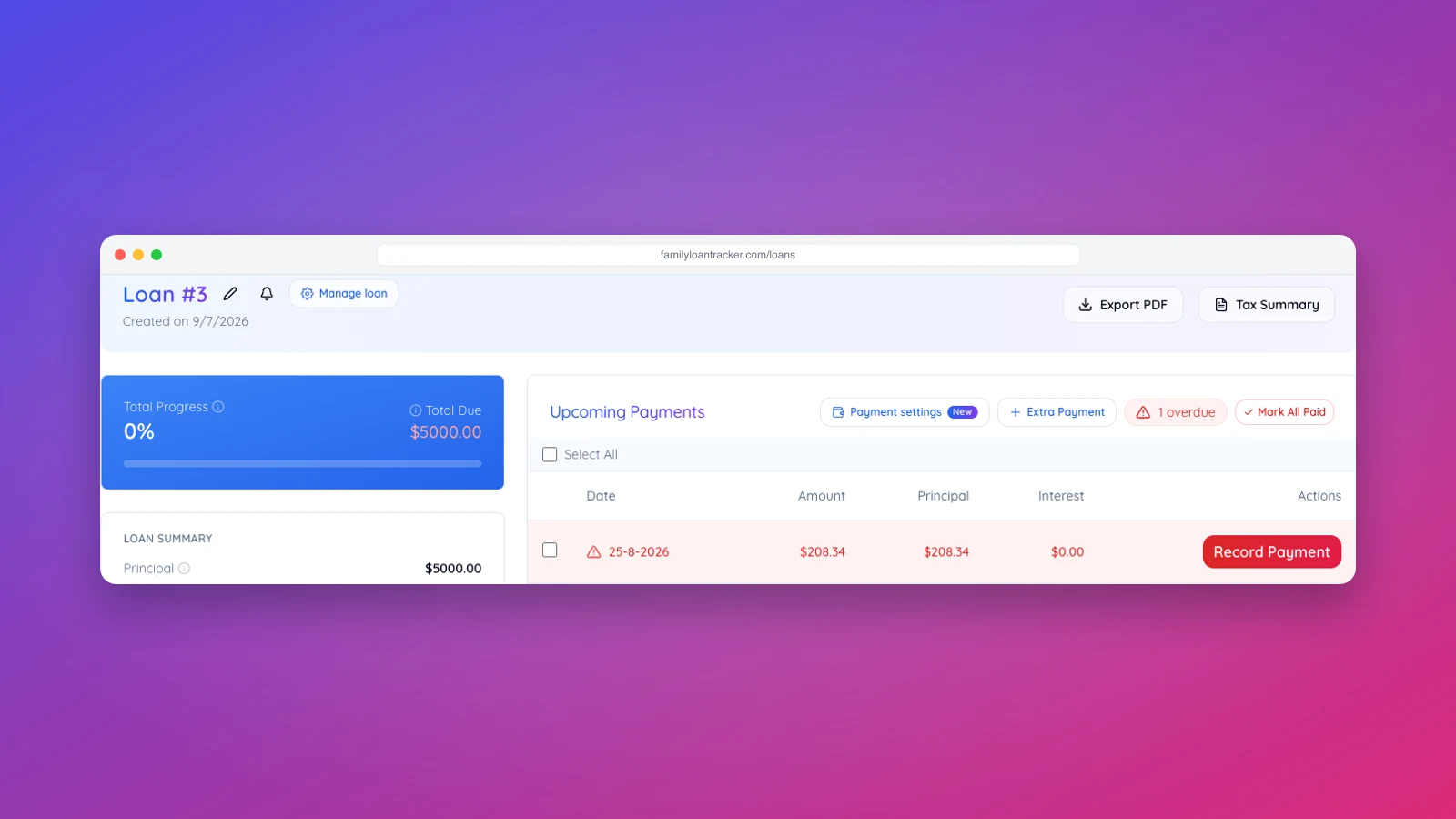
From your dashboard, open the loan you want to update. The payment schedule lists every payment due over the life of the loan, in order, each with its due date and amount. Payments that have already been recorded are marked as paid; the next unpaid payment is highlighted as the one currently due.
Step 2: Mark a single payment as paid
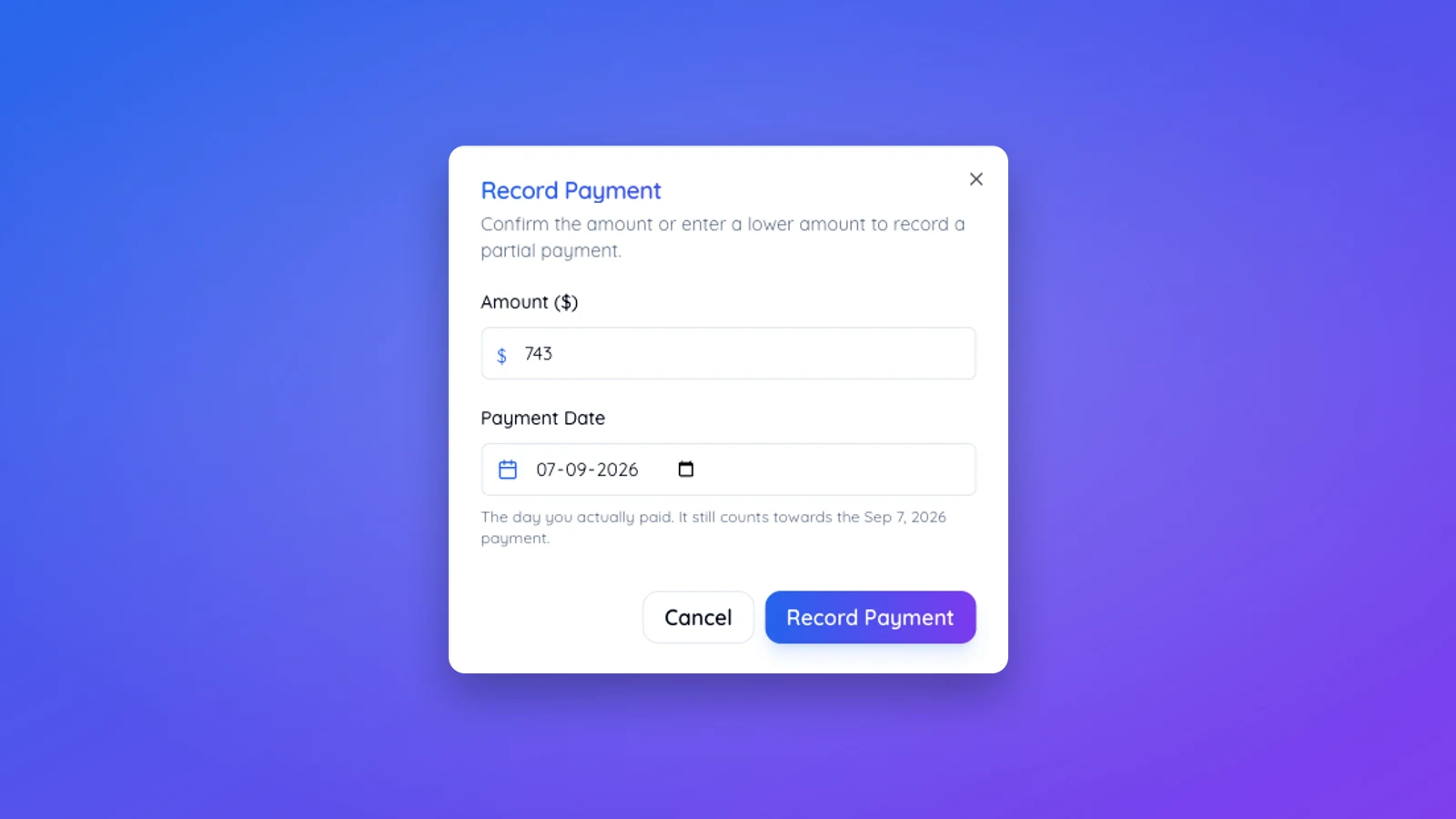
Find the payment you want to record and select the option to mark it paid. You'll be asked to confirm the payment date — this defaults to today but can be backdated if the payment actually happened earlier. You can also add a note, which is useful for documenting how the payment was made (cash, bank transfer, check) or any relevant context.
Once confirmed, the payment status updates immediately, and the loan's dashboard stats — paid principal, paid interest, and progress — recalculate to reflect it.
If more than the scheduled amount was paid
Enter the full amount you actually received. When that is more than the scheduled payment, Family Loan Tracker splits it for you: the scheduled amount closes that payment, and the surplus is recorded as an extra payment that comes straight off the principal. You see the split in the dialog before you confirm, and both parts show up in the payment history against the same payment.
Paying less works the same way in reverse. Enter what was actually paid, and the payment stays open as partially paid with the shortfall still expected.
Step 3: Catch up with a batch payment
If several scheduled payments have built up — for example, after a few months of informal cash payments that were never logged — you don't need to record each one individually. Select the batch payment option, choose the range of payments you're catching up on, and confirm. The tracker applies each payment in order against the schedule and updates all the affected stats in one pass.
This is the fastest way to bring a loan's records back in line with reality without re-entering the same information payment by payment.
Step 4: Confirmation emails
When a payment is recorded, both the lender and the borrower receive a confirmation email summarizing what was paid, when, and the updated remaining balance. This gives both parties a shared, timestamped record that doesn't depend on memory or a single person's bookkeeping — useful if a dispute about what was or wasn't paid ever comes up.
If only one party is using the tracker, inviting the other party means they get these confirmations automatically going forward, rather than having to ask for updates.
Payments made through Pay now
Pay now is a shortcut for sending money, not a link to anyone's bank account. It opens Venmo, PayPal or Cash App with the amount filled in, or shows the Zelle details to copy. The transfer happens in that app, so Family Loan Tracker cannot see it and the payment still has to be recorded here. The Pay now window closes with a button that goes straight to recording it, and either the lender or the borrower can do that.
What happens to the rest of the schedule
Recording a regular, on-time payment doesn't change anything else about the loan's terms — the remaining schedule and total interest figure stay the same, since the loan is amortizing exactly as planned. Payments beyond the regular scheduled amount work differently: they reduce principal ahead of schedule and recalculate everything downstream. Our guide on recalculating a loan after extra payments walks through exactly what shifts in the schedule when that happens. To log one, either enter the larger amount when you record the scheduled payment, as described above, or use the extra payment button on the loan page for a payment that is not tied to a scheduled one.
A note on trial accounts
Trial accounts can record a limited number of payments before being prompted to upgrade. If you're testing the tracker with a real loan that already has payment history, it's worth checking your plan's limits before importing months of backlog, so you don't get partway through a batch catch-up and hit a wall.
Keeping the record accurate
The tracker reflects what's been entered, not what's actually happened — a payment made outside the app doesn't update anything until someone records it. The habit that matters most is recording payments close to when they happen, rather than batching them up for months. A loan with a consistently current payment history is also the strongest kind of documentation if a family loan's legitimacy is ever questioned, whether by a tax authority or just a relative with a different memory of events.