Some family loans don't keep one interest rate for their whole life. The rate follows a published index like the prime rate and resets once a year, or the two of you agree on a new rate partway through. Family Loan Tracker handles this with dated rate changes: you record the new rate and the day it starts, and everything before that day stays exactly as it was.
Rate change or correction?
There are two different reasons to touch a loan's interest rate, and they need different tools.
- A correction. The rate was entered wrong, or it was always meant to be something else. Fix it in Manage loan, which recalculates the whole loan as if the new rate had applied from day one.
- A rate change. The rate really did change on a date. Interest before that date was charged at the old rate and should stay that way. That is what a dated rate change is for.
Edit the rate in Manage loan after a year of payments and every one of those payments is re-split at the new rate. For a variable rate that is wrong, which is why the two are kept apart.
Adding a rate change
- Open the loan and click Manage loan.
- Under the interest rate, click Add a dated rate change.
- Pick the date the new rate applies from, and enter the new annual rate.
- Optionally add a note, for example "Prime rate on January 1".
- Check the preview, then click Save rate change.
Only the loan owner can add or remove rate changes. The lender and the borrower both get an email with the old rate, the new rate and the date.
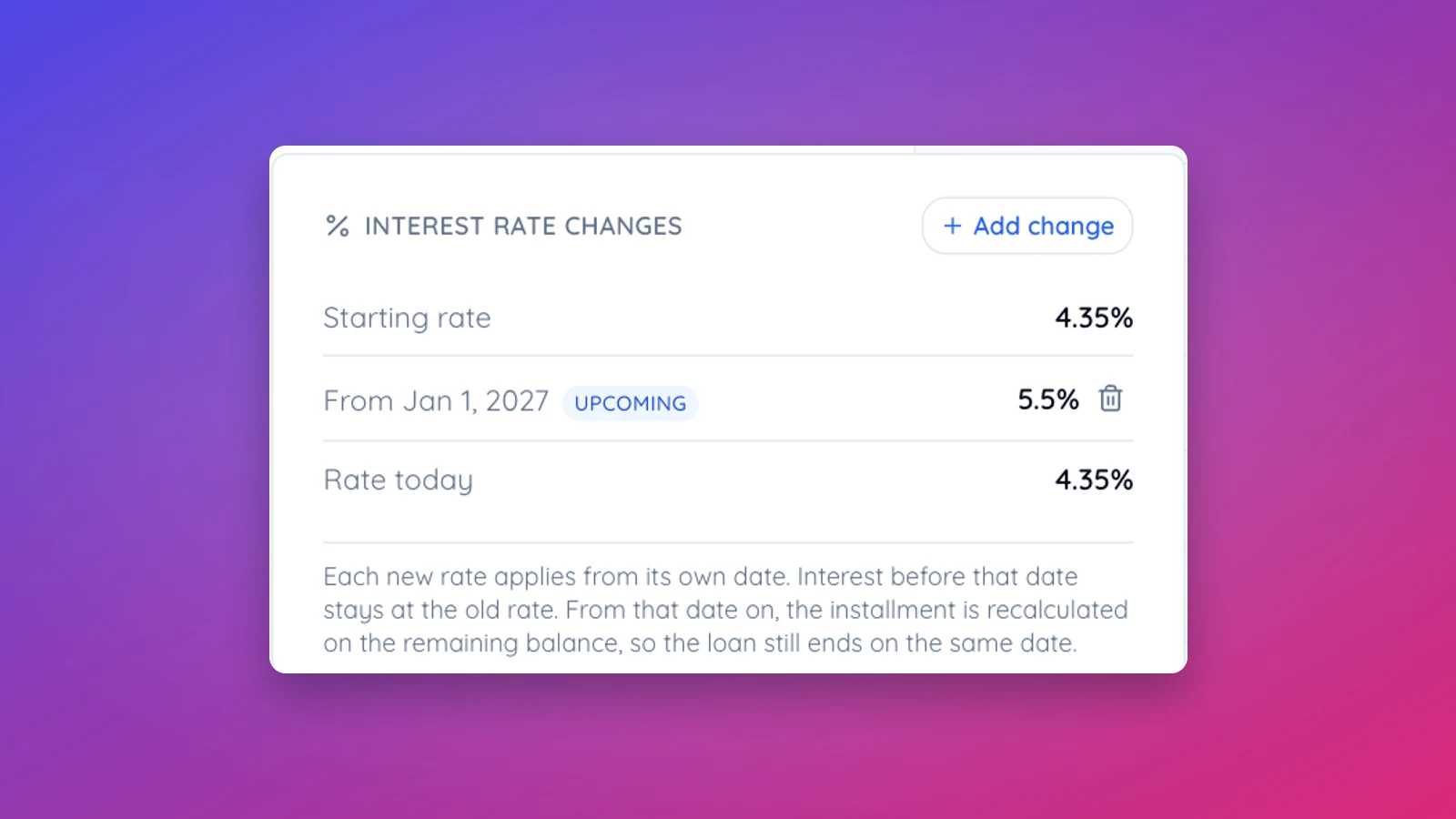
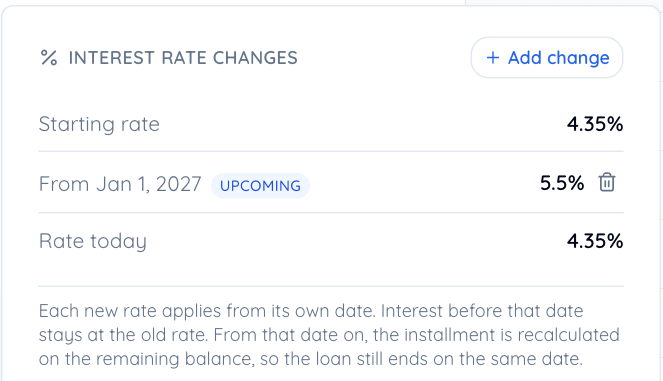
Once a loan has a change, an Interest rate changes card appears on the loan page. It lists the starting rate, every change with its date, and the rate in force today. Later changes can be added straight from that card with Add change. Loans with a fixed rate never see the card.
What happens to the payments
From the change date on, interest is charged at the new rate. Starting with the first payment that includes the new rate, the installment is recalculated on the remaining balance over the remaining term, so the loan still ends on the same date. Payments before the change keep their amounts. If extra payments have already shortened the loan, the new installment keeps that earlier end date.
Before you save, the dialog shows which payment the new rate starts in, what the installment becomes, and what it does to the total interest.
A worked example
A $250,000 loan over 15 years at 7.5%, with payments due on the 1st of each month from February 1, 2027. The installment is $2,317.54. On January 1, 2028 the rate resets to 8.25%.
- The payment of January 1, 2028 stays $2,317.54. It pays December's interest, which was charged at 7.5%.
- From February 1, 2028 the installment is $2,419.61.
- The loan still ends on January 1, 2042. Total interest goes from $167,154.14 to $184,303.93.
When the change falls in the middle of a period
Say the same loan has payments due on the 15th. The period from December 15 to January 15 is then charged partly at each rate: 17 days at 7.5% and 14 days at 8.25%. That one payment is a transition payment of $2,363.35, and from February 15 every installment is $2,419.35. In the schedule, the payment where the new rate starts is marked "New rate 8.25% from Jan 1, 2028".
A rate that resets every year
Add one change per reset. For a loan tied to the prime rate, that means looking up prime on the reset date and adding it as a new change each year. Family Loan Tracker does not fetch the rate for you. The card keeps the full history, and the amortization schedule export includes the rate charged in every period, so an accountant can see which rate applied when.
Changes in the past
You can date a change in the past, for example when you start tracking a loan that has already been through a reset. Payments recorded since that date stay recorded, but their split between interest and principal is recalculated at the rate that applied.
Removing a change
Click the bin icon next to a change on the card and confirm. The schedule is recalculated without it, and both sides get an email.