Sometimes a loan's terms need fixing after the fact. The interest rate was mistyped, the term should have been sixty months instead of forty eight, or the two of you agreed the loan is now five years instead of ten. Family Loan Tracker has a Manage loan option for exactly this, and it uses the same fields as setting up a loan in the first place.
What Manage loan is for
Manage loan corrects the loan's core terms as if they had always been that way. It recalculates the whole schedule from the new values, so it is not the place to record a rate that changes on a specific date. For that, a variable rate that resets every January for example, add a dated rate change instead: the months before the change keep their old rate.
Opening it
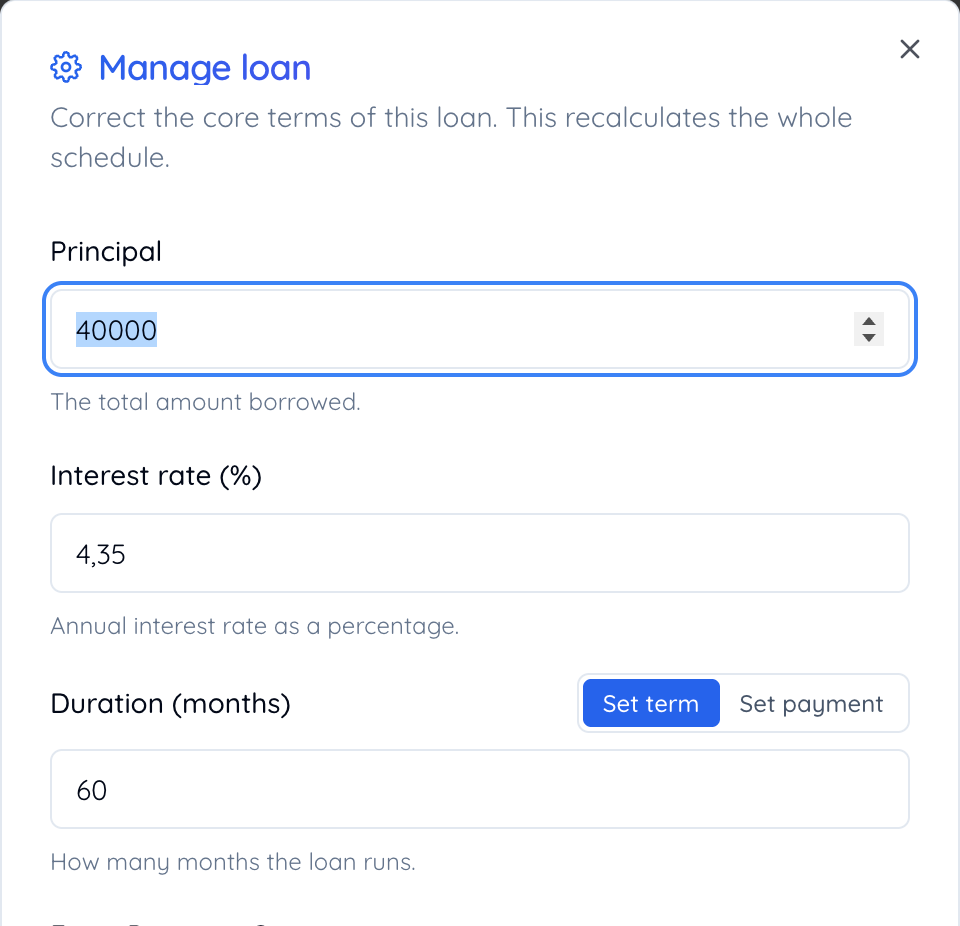
- Go to the loan's page.
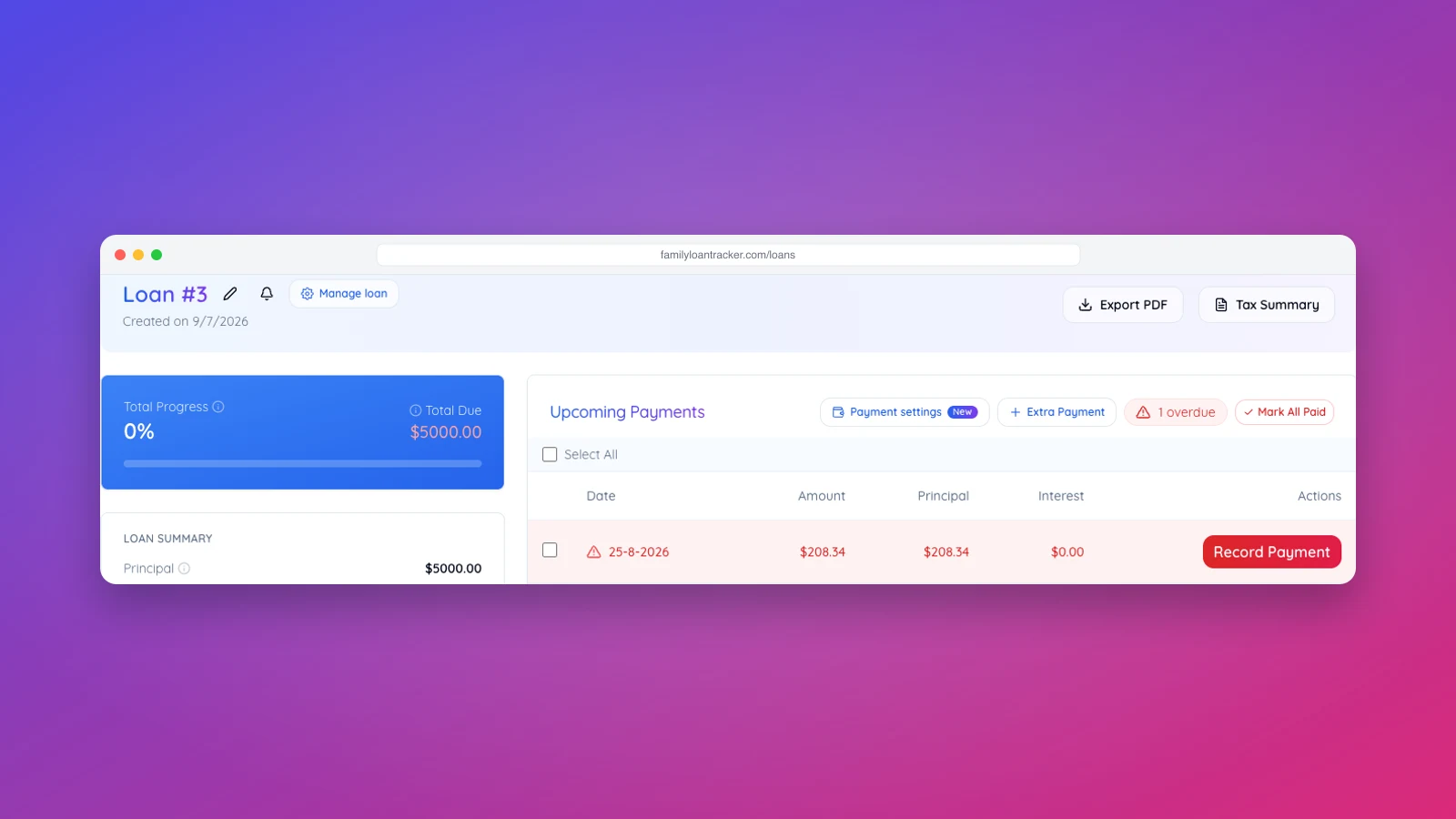
- Click Manage loan next to the loan name, the cogwheel icon.
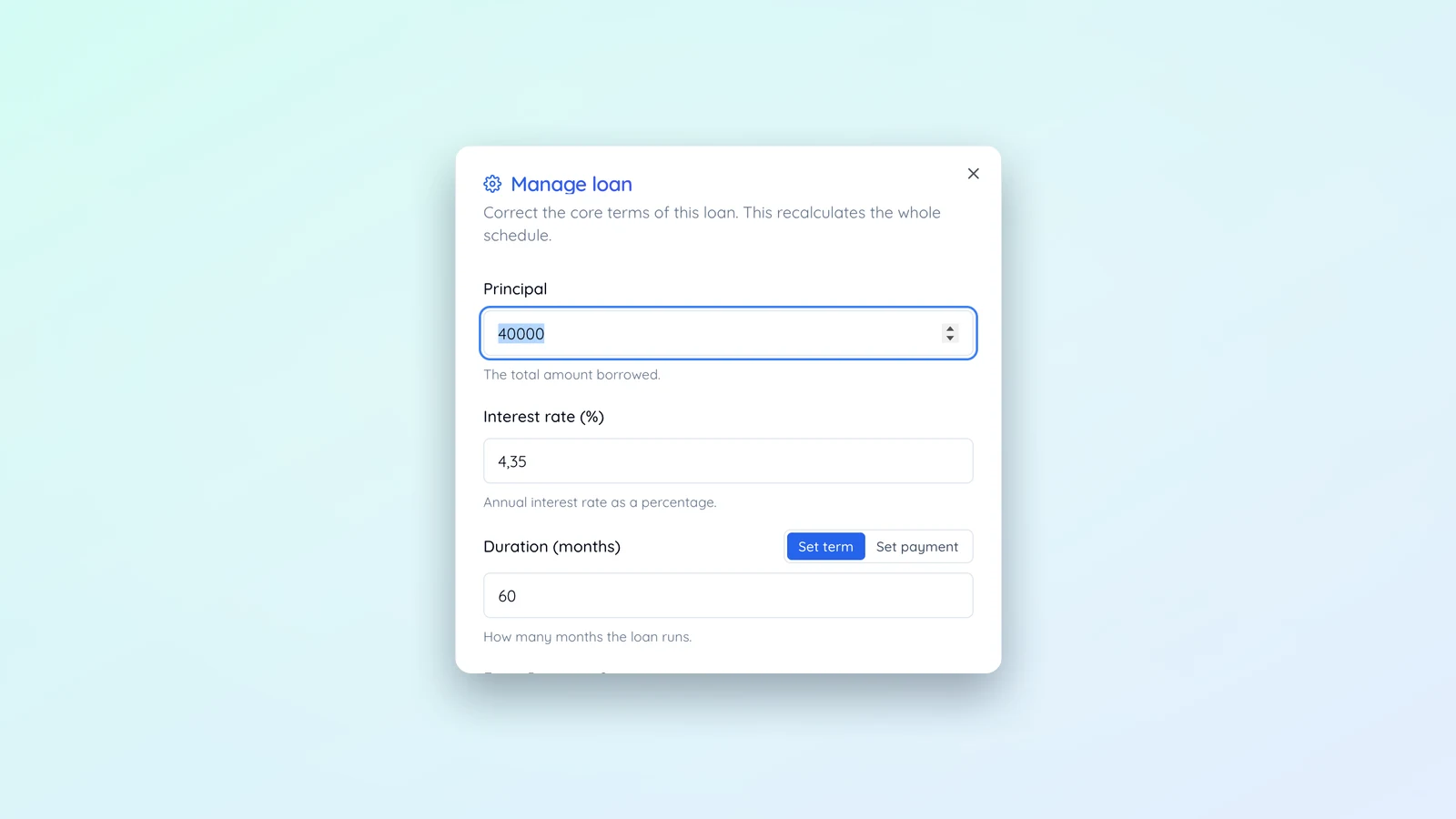
- Update the fields you need to change.
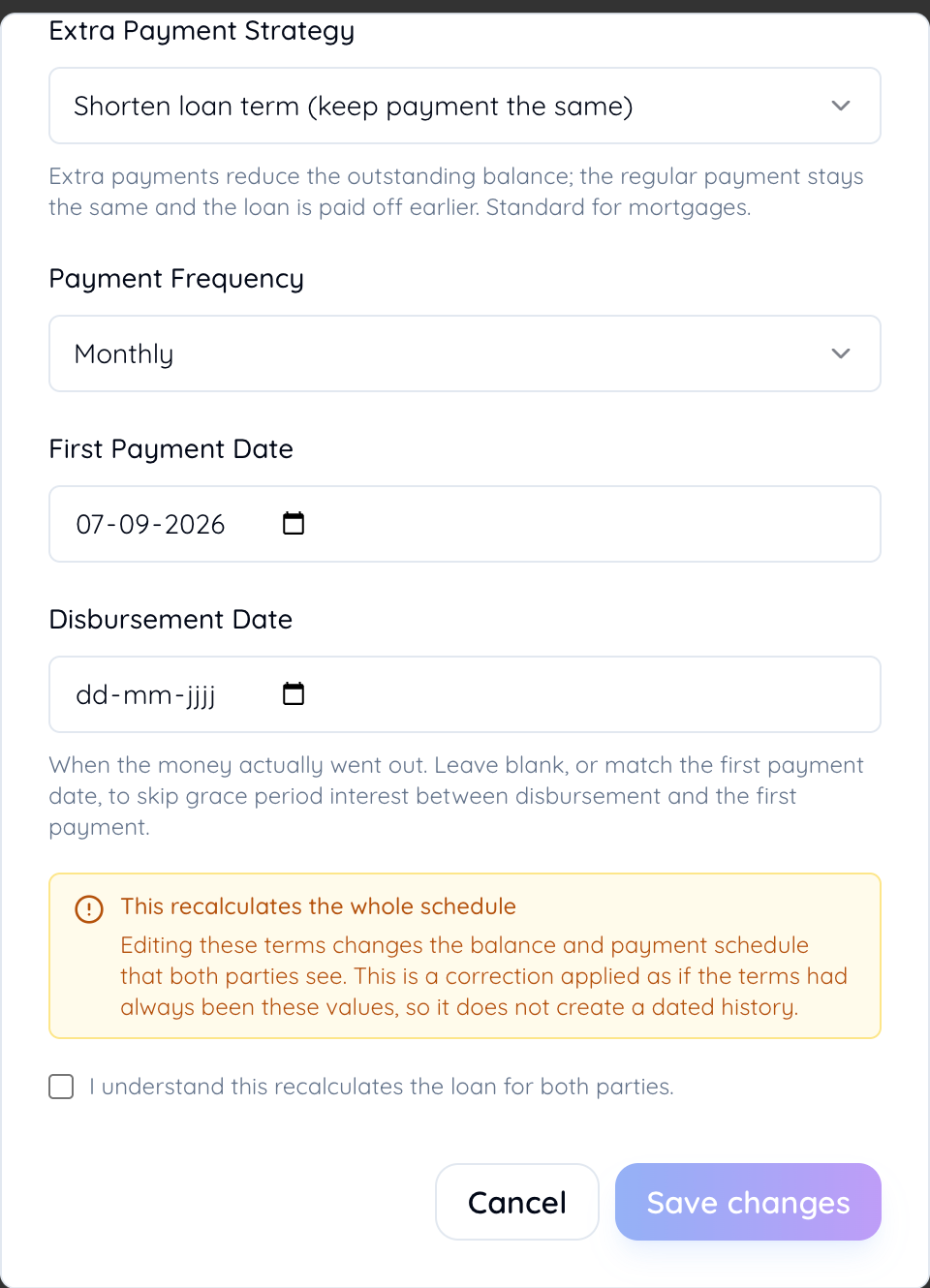
- Check the box confirming you understand the schedule recalculates.
- Click Save changes.
What you can always change
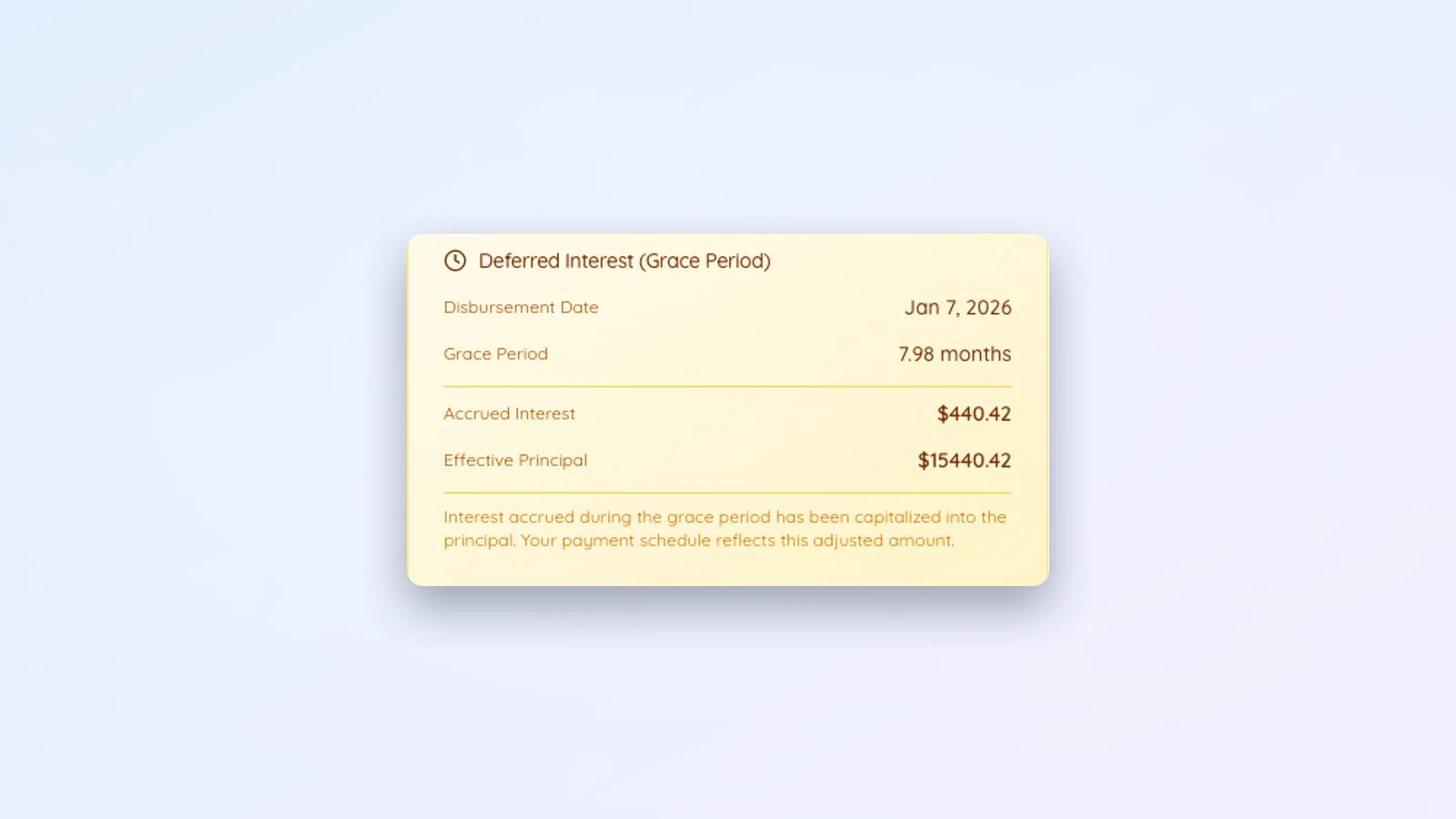
Principal is the total amount borrowed, or the credit limit if the loan is a line of credit. Interest rate is the annual rate as a percentage (on a loan with dated rate changes, this is the starting rate); if you raise or lower it, it is worth checking the loan still clears the IRS minimum rate for its term. Duration uses the same Set term / Set payment toggle as loan creation: type the number of months and the tool works out the payment, or type the payment you agreed and it keeps exactly that amount as a fixed payment and works out the term. With a fixed payment the last payment is whatever is left, and extra payments shorten the loan rather than lowering the payment. Extra payment strategy controls whether extra payments shorten the loan or lower the next payment; nothing is stored against this choice, it is recalculated on every visit. Disbursement date, when the money actually went out if that differs from the first payment date, is also always editable; it only affects grace period interest between disbursement and the first payment.
What locks once a payment exists
Payment frequency and the first payment date can only change while the loan has zero recorded payments. Each payment is tied to a specific due date, so moving those dates after payments exist would leave old payments pointing at due dates that no longer line up with the schedule. Record even one payment and the modal disables both fields.
What is not editable here
Currency is not one of the fields Manage loan can change. If a loan was set up in the wrong currency, the current fix is to delete it and create it again in the right one.
Before you save
The modal shows the effect of your change, the new monthly payment and new total interest, before you commit, and asks you to confirm you understand the schedule recalculates for both sides. Saving also emails the other party a summary of what changed, so nobody is surprised the next time they check the loan. That matters more than it sounds: a family loan holds up as a real loan partly because both sides can always see the same, current numbers, not a version each of you half remembers.
Renaming a loan or changing reminders
The pencil icon next to the loan name renames it. The bell icon opens reminder settings for that loan. Both live in the same header as Manage loan, but they are separate, smaller actions that do not recalculate anything.
If the terms changed because the two of you sat down and renegotiated rather than corrected a typo, our guide to planning a family loan covers how to have that conversation before you touch the numbers.