Your accountant asks for the amortization schedule, the whole thing, every payment from the first to the last. Here is where it is and what you get.
Where to find it
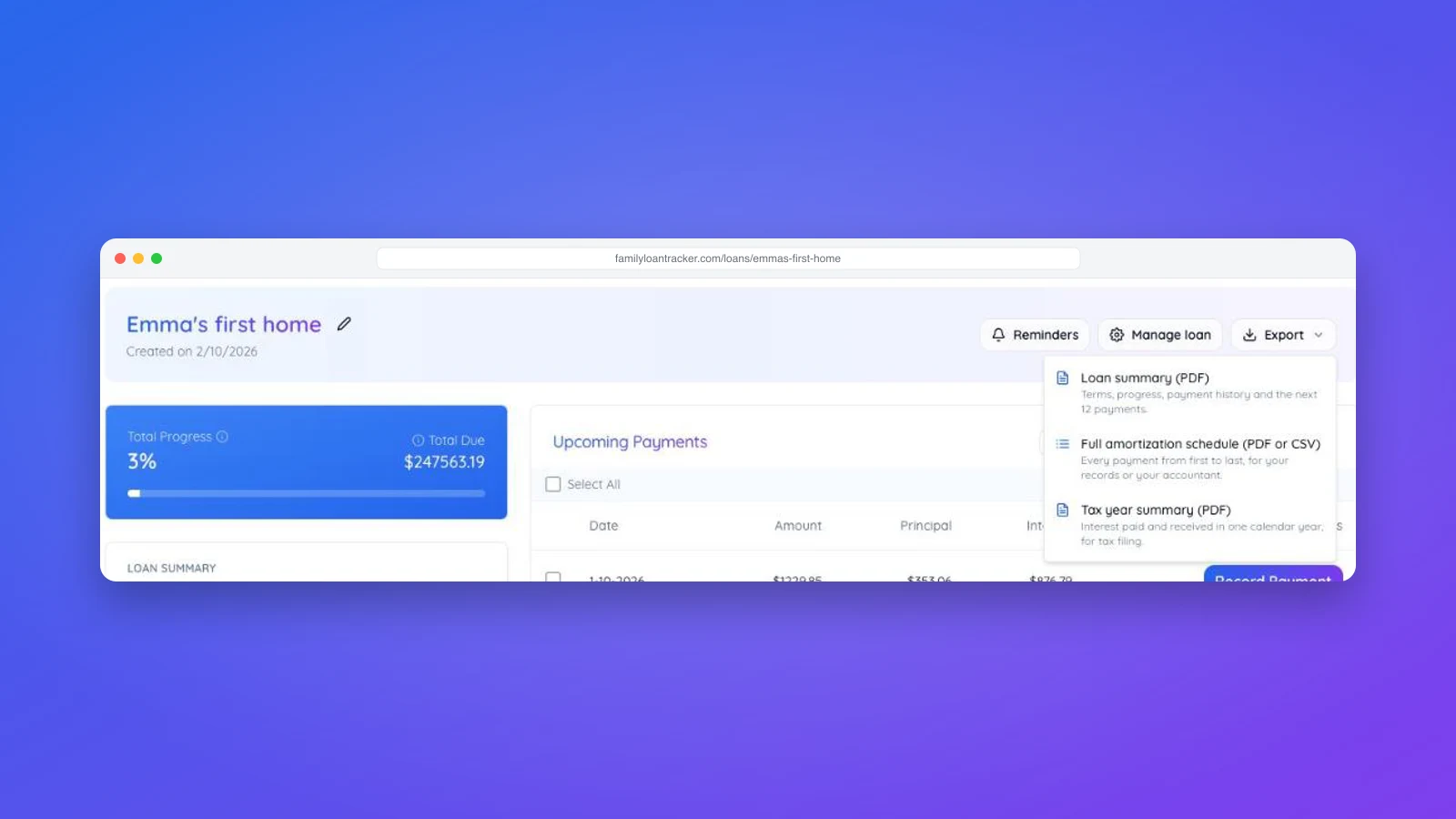
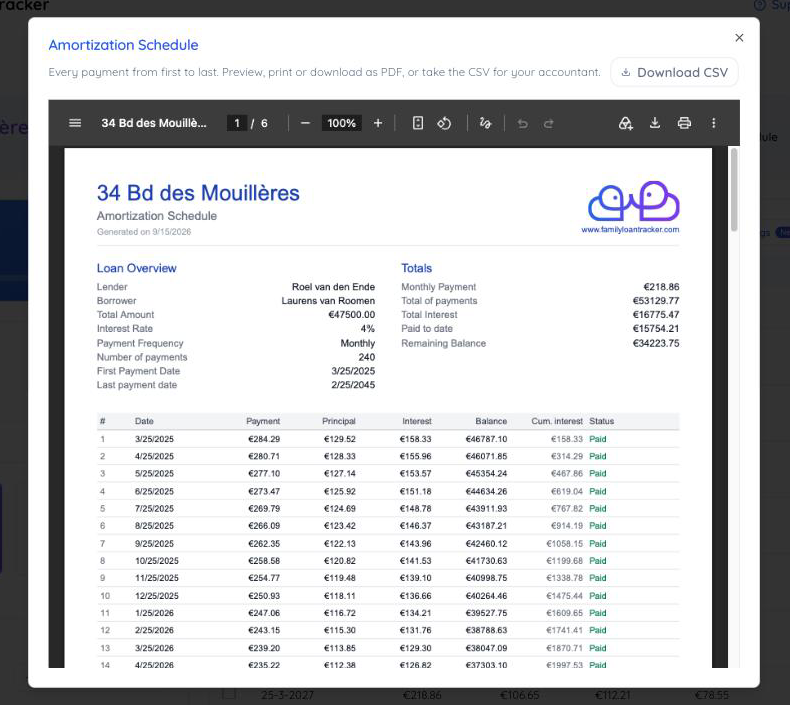
Open the loan and click Export at the top right of the loan header, then choose Full amortization schedule (PDF or CSV). A preview of the full schedule opens as a PDF. From that preview you can print it or download it, and there is a Download CSV button beside the description for a spreadsheet version.
The full schedule is included with a paid account. On a trial the option is still listed, with a lock icon, and choosing it shows what the export contains and where to upgrade. The free amortization schedule calculator is the option for a loan that is not in the app, though it works for monthly loans only.
What the PDF contains
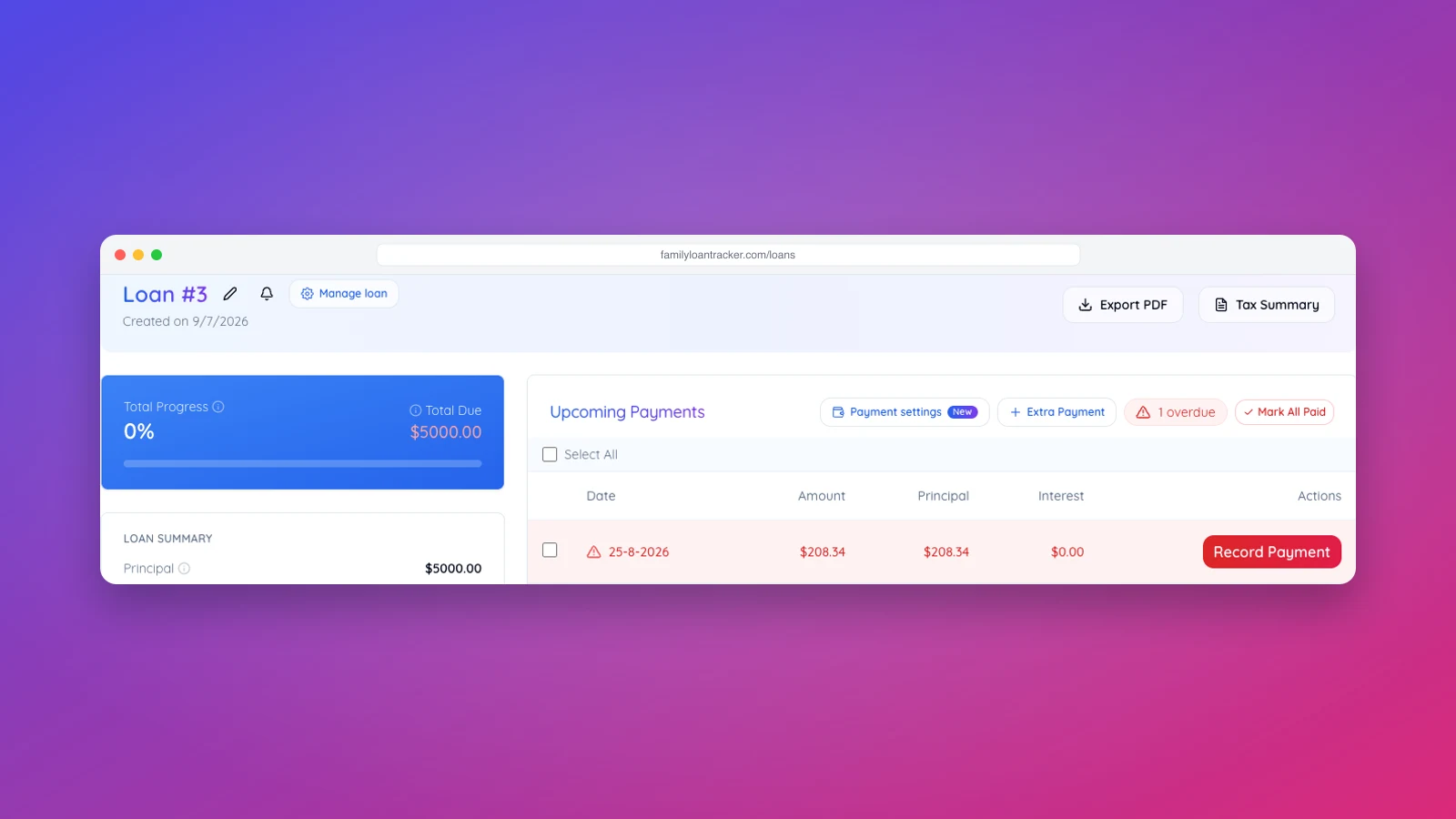
The first page carries the loan's terms and totals: lender and borrower, principal, rate, payment frequency, number of payments, disbursement and first payment dates, the periodic payment, total of payments, total interest, what has been paid to date and the remaining balance. If any payment is overdue, the accrued interest and the Total Due are listed as well, the same figures as on the loan dashboard.
Below that, one row per payment:
| Column | What it means |
|---|---|
| # | Payment number, 1 to the last |
| Date | The due date |
| Payment | The installment due that period |
| Principal | The part of the installment that reduces the balance |
| Interest | The part that is interest, charged on the balance at the start of the period |
| Balance | What is left after this payment |
| Cum. interest | All interest charged up to and including this row (replaced by Interest payback on loans that use it) |
| Status | Paid, Partial with the open amount, Overdue, or Upcoming |
Payments you have recorded show as paid on their row, and overdue rows show interest on the balance that was actually outstanding, so the document always matches the screen. On an overdue row the Principal column shows what was actually taken off the balance: 0.00 when nothing was paid, which is why the balance on that row does not go down. The header row repeats on every page and no row is split across two pages, which matters on a 30-year loan that runs to twenty pages or more.
What the CSV contains
The same rows with the same columns, plus a Remaining payment column, written for a spreadsheet rather than for reading: plain numbers without currency symbols or thousands separators, dates as YYYY-MM-DD, one row per line. It opens directly in Excel, Numbers and Google Sheets. The file is named after the loan, for example robinson-11-knotty-alder-ct-amortization-schedule.csv.
Why the Loan summary PDF only shows twelve rows
The Loan summary (PDF) option in the same Export menu produces a summary of the loan: terms, progress, the payment history and the next twelve upcoming payments. It is meant to fit on a couple of pages. The full schedule is its own export precisely so the summary can stay short. The third option, Tax year summary (PDF), covers one calendar year of interest for tax filing.